What is Phishing and How to Protect Yourself
Introduction: Why knowing what is phishing matters
Phishing is a common cyber threat that aims to trick people into revealing sensitive information such as passwords, bank details or identity documents. Understanding what is phishing is important for individuals, businesses and public-sector organisations because successful attacks can cause financial loss, identity theft and reputational damage. As digital communication increases, the risk and sophistication of phishing attempts rise, making awareness essential.
Main body: How phishing works and common forms
Basic mechanics
At its core, phishing involves deceit: attackers impersonate a trusted person, company or institution to persuade a victim to take an action — clicking a link, opening an attachment or providing credentials. Social engineering techniques exploit trust, urgency and curiosity.
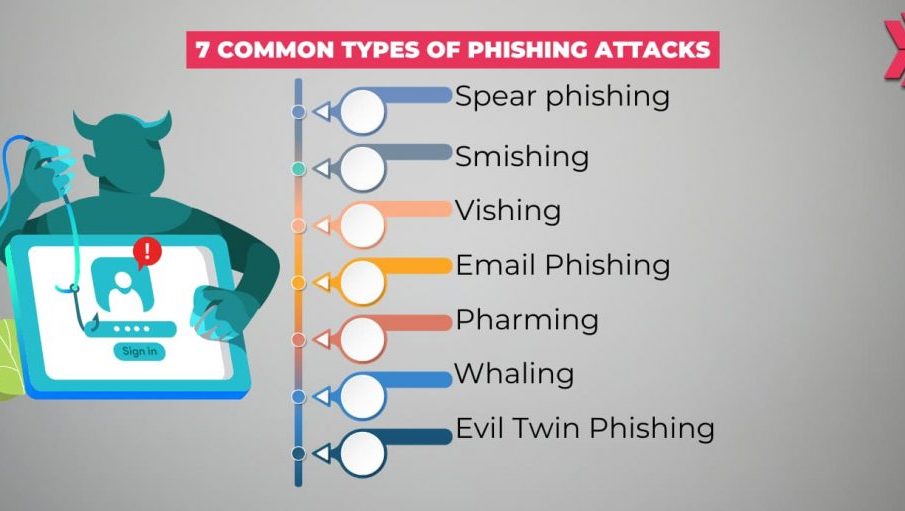
Common types of phishing
- Email phishing: The most familiar form where fraudulent emails mimic banks, retailers or colleagues.
- Spear phishing: Targeted attacks that use personal information to appear more convincing.
- Whaling: Aimed at senior executives or high-value targets with tailored messages.
- Smishing and vishing: SMS-based phishing (smishing) and voice-call scams (vishing) that request sensitive information or prompt urgent action.
- Clone phishing and link manipulation: Using genuine-looking pages or altered links to harvest credentials or deliver malware.
Signs of a phishing attempt
Look for unexpected requests, grammatical errors, mismatched sender addresses, urgent language, unfamiliar links and attachments. Hover over links to check the real web address and verify requests through a separate channel (for example, call the organisation using a known number).
How to respond
If you suspect phishing, do not click links or open attachments. Report the message to your IT department or email provider, change affected passwords and monitor accounts for unauthorised activity.
Conclusion: Staying prepared and reducing risk
Knowing what is phishing helps people make safer online decisions. Organisations should combine staff training, email filters, multi-factor authentication and regular software updates to reduce risk. For individuals, simple habits — unique passwords, cautious handling of unexpected messages and verification of requests — significantly lower the chance of falling victim. Staying informed about evolving phishing techniques is the best defence.

