Is YouTube Down? How to Check Status and Troubleshoot
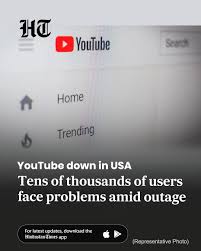
Introduction: Why asking “is youtube down” matters
When YouTube is unavailable, millions of users can be affected — from casual viewers to creators and businesses that rely on video content. Asking “is youtube down” is a first step to distinguishing a service-wide outage from a local problem. Knowing how to verify the situation quickly helps reduce frustration and guides the right troubleshooting or communication steps.
Main body: How to verify and what to do
How to check if YouTube is down
Start by checking official and community reporting channels. Google operates service status pages that may provide information on outages affecting YouTube. Independent outage-tracking websites and social platforms often collect user reports in real time; sudden spikes in reports can indicate wider problems. Searching social media for recent posts about YouTube issues or visiting outage-aggregator sites will usually reveal whether others are experiencing the same issue.
Simple local checks
If global reports are quiet, the problem might be local. Try loading YouTube on a different device or browser, or switch from Wi-Fi to mobile data to see if the issue persists. Clearing the app or browser cache, restarting the device, and ensuring the YouTube app is up to date are practical first steps. For browser-related problems, disabling extensions or trying an incognito/private window can help isolate the cause.
Network and account considerations
Check your internet connection speed and router status. Some outages result from DNS or ISP issues; changing DNS settings to a reputable public resolver can sometimes restore access. If only specific videos or features are affected, verify account settings, region restrictions, or content availability notes — these can explain access issues that aren’t service-wide.
Conclusion: What readers should take away
Asking “is youtube down” is an effective starting point. Use official status pages, outage-reporting services and social media to assess whether a problem is widespread. If reports are local to you, follow basic troubleshooting: try different devices, update or reinstall the app, check your network and account settings. For creators and businesses, monitor official channels for updates and communicate proactively with audiences if disruptions persist. Understanding these steps helps you respond quickly while waiting for any verified global fixes.